Subscribe to our news:

 Partners
Testimonials
Stephen Arrowel, Database Administrator: "We are in the process of implementing Firebird solutions at multiple levels in our international organization. We expect that SQL Maestro Group will do nothing short of revolutionize the way we develop and maintain our Firebird databases. The continuous improvement and development means that the product is extremely flexible and will grow with us. The service and responsiveness of the Support Team has been exceptional. They have devoted countless hours to understanding our needs, so that we could get a Firebird administration tool which would be so simple and effective in use. SQL Maestro Group is helping Sytrax sail into the 21st Century".
Carl Schammel: "I have been in search of a software product that was rich in features and easy for using, but was unable to find one until I came upon Firebird Maestro. Not only does it have all-inclusive integrated functionality, but SQL Maestro Group have provided me with superior support. I now have the management tools at my hand that I have been looking for".
More
Add your opinion
Customers
|
Firebird Maestro online Help
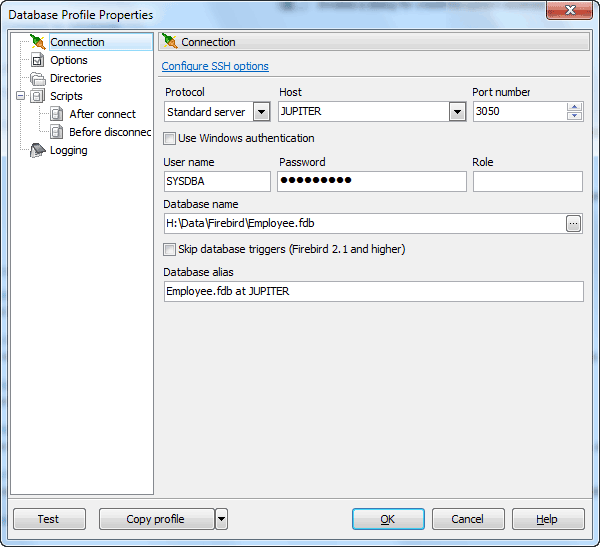
Editing connection properties
The tab allows you to change connection properties of an existing database profile. Here you can change the database group, database info and edit the database alias, an optional name to display the database in the Explorer tree and in all the application tools.
|
Company news 
Feb 6, 2024
New version comes with Firebird 5.0 compatibility, support for partial indexes, Firebird 5.0 embedded server, upgraded SSH client equipped with more secure key exchange algorithms and some other useful things.
Jul 29, 2021
All software of our Firebird family come now with Firebird 4 compatibility.
Jul 28, 2021
New version comes with Firebird 4.0 compatibility, support for new data types, enhanced system privileges, SQL security feature, granting a role to another role, extensions for the IDENTITY type and some other new Firebird 4.0 features.
Feature of the day
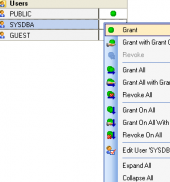
Use Permissions tab of Role Editor to include/exclude users to/from the role within Firebird Maestro.
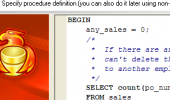
Firebird Maestro provides you with an opportunity to enter procedure definition during its creation.
|
|











 Download
 Buy
Buy