Partners




 Download
 Buy
BuySQL Maestro for MySQL online help
| Prev | Return to chapter overview | Next |
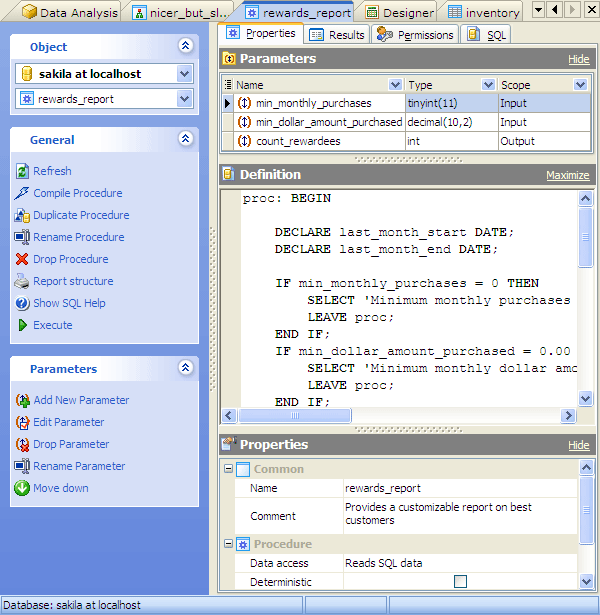
Procedure Editor

Procedure Editor allows you to execute the existing procedures or edit their definition (procedure name, parameter list, procedure body, etc.). It opens when you create a new procedure or edit the existing one (see How to edit procedure for details).
The basic principles of Object Editors in SQL Maestro for MySQL are explained in a separate topic. Below you will find a description of editor tabs that are unique for the current object.
See also: Create Procedure Wizard
| Prev | Return to chapter overview | Next |