Subscribe to our news:

 Partners
Customers
|
Code Factory for MySQL online Help
How to create a new trigger?
Adding Triggers
Triggers are created within Create Trigger Wizard. In order to run the wizard you should either
| • | open the table in Table Editor and the Triggers tab there; |
| • | press the Insert key or select the Add New Trigger... item from the popup menu (alternatively, you may use the corresponding link of the Navigation Bar) |
or
| • | select the table in the explorer tree and use the Create New Trigger... popup menu item |
or
| • | select the table Triggers node or any trigger within the table in the explorer tree and use the Add New Trigger... popup menu item.
|
|
 |
|
SQL Maestro Group team wishes you a Happy Easter!
|
|
Get a 20% discount for all our products and bundles till April 12!
|
Company news 
Apr 10, 2017
New version features colored tabs, new encryption algorithms in data grids, enhanced data input forms, updated data export/import tools and a lot of other useful things.
Sep 20, 2013
New version comes with keyboard interactive SSH authentication, updated Script Runner, redesigned start page, improved SQL editors and data grids, as well as with many other useful things.
Mar 5, 2012
New version introduces Unicode support in editors, updated code folding appearance, viewing BLOB data as PDF, data import from ODBC data source, Spanish translation and a lot of other new features.
Feature of the day
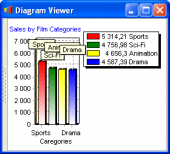
MySQL Code Factory allows you to represent numeric data from a query result as a diagram with a possibility of customizing its appearance and export the diagram to the following formats: BMP, Windows metafile, PDF, JPEG, PNG and more.
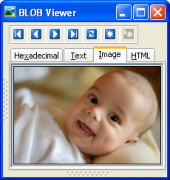
Using MySQL Code Factory you can view or edit BLOB data in the following ways: hexadecimal dump, plain text, graphical image or HTML page.
|
|












 Download
 Buy
Buy