Subscribe to our news:

 Partners
 Testimonials
Jim Salmons: "That is excellent news! I will look forward to a future update with these features. It will be attention to such details that further distinguishes your excellent products from the competition.
As always, I appreciate your great products and your demonstrated customer service is equal to the high quality of your products".
Tracy J Powell: "Thank you VERY much for the quick and helpful response. I will definitely upgrade as soon as possible. Your products are great and I use them daily".
More
Add your opinion
 Customers
|
MS SQL Maestro online Help
Create Objects
MS SQL Maestro provides a number of Create Object Wizards to accomplish the most facile Microsoft SQL object creation.
There are several ways to invoke the necessary Create Object Wizard:
| • | select the Object | Create Database Object... main menu item; |
or
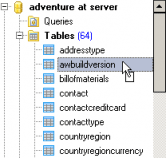
| • | select the object list (Tables, Views, Triggers, etc.) or any object from that list in the Explorer tree (Object Manager and Object Browser); |
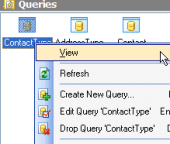
| • | select the Create New Table (View, Trigger, etc.)... item from the popup menu or press Insert. |

|
 Company news 
Dec 5, 2025
All software of our Microsoft SQL Server family come now with SQL Server 2025 compatibility.
Jul 7, 2023
All software of our Microsoft SQL Server family come now with SQL Server 2022 compatibility.
Jun 29, 2017
New version features support for SQL Server 2017, support for row-level security policies, custom labels and colors for server nodes in Database Explorer, and some other useful things.
 Feature of the day
MS SQL Maestro allows you to represent SQL Server databases as ER diagrams.
MS SQL Maestro supports all types of SQL Server logins: Windows Authentication, SQL Server Authentication, Certificate, and Asymmetric Key.
|
|