







 Partners



SQLite Maestro: Product Tour
Queries and Scripts

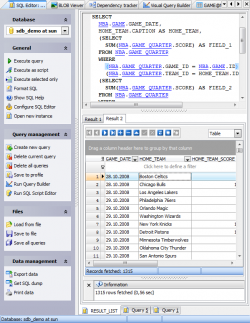
Wenn Sie Absicht haben, SQLite Maestro für die Arbeit mit SQL Abfragen und Skripten zu benutzen, so sind die kräftigsten (und zugleich einfachen) Tools zu Ihrer Verfügung gestellt. SQL Editor ist das fundamentale SQLite Maestro Tool für die Erstellung und Ausführung von Abfragen. Der Editor lässt den SQL Text für die Abfrage erstellen und redigieren, Abfragen eintragen und richten und die Resultaten der Ausführung ansehen. Er schließt auch solche benutzbaren Features wie Syntax-Hervorhebung, Links, Code-Faltung und Code-Auto- Komplettierung. |
|

|
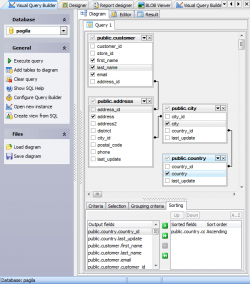
Visual Query Builder ist für die visuelle Abfragenerstellung vorgesehen. Sie können Abfragen erstellen und redigieren und dabei keine SQL-Kenntnisse haben: Eintragen und Ausführen von Abfragen, Anschauen der Resultaten der Ausführung werden zu einfachen Operationen, wenn man den Visual Query Builder benutzt. |
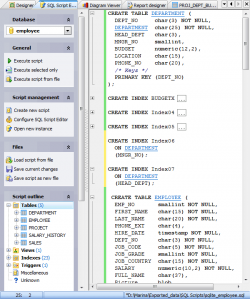
Mit der Hilfe von SQL Script Editor können Sie SQL Skripten anschauen, redigieren und ausführen. Um den Editor zu öffnen, soll man den Hauptmenüpunkt Tools | SQL Script Editor wählen. Mit dem Editor können Sie alle nützlichen Operationen mit SQL Skripten erfüllen. |
|
| Zurück | Weiter |