Wählen Sie Ihren SQL-Server:
Neuheiten abonnieren

 Partners
Testimonials
Ilakshi Rathod : "This tool is just wonderful. I have never seen any tool for DB2. This tool provides very good features which helps in ease us work as well as quick resolution of any errors.".
Jeff Rule: "I have to tell you I am really impressed. I have never had a software
company turn around a bug fix like this so fast. I have been doing
database work for over 20 years and that has never happened.".
More
Add your opinion
Customers
|
DB2 Maestro online Help
Diagram Viewer
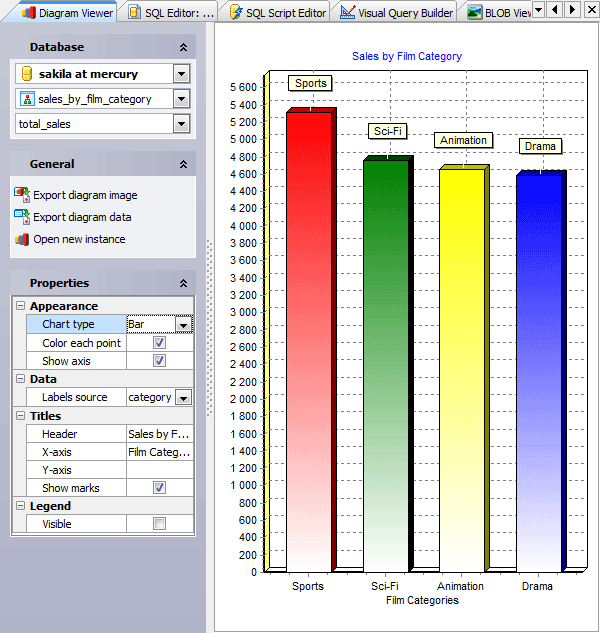
Diagram Viewer is a tool for representing data from a table or a query as a diagram in various ways. This means you can build a diagram represented as bars, lines, areas, points or pies, colored or not, with axis visible or not; specify axis labels source, diagram header and more. The Diagram Viewer also has the Export diagram image and the Export diagram data features implemented, with a lot of formats supported.
|
Company news 
May 18, 2023
New version comes with colored tabs, new encryption algorithms in data grids, updated BLOB Editor, database profile usage statistics and a lot of other useful things.
Nov 9, 2013
A new reporting tool, advanced SQL Dump wizard, updated SQL Editor, enhanced data grids, redesigned Start Page, improved Database Explorer, and a lot of other useful things.
May 16, 2011
Completely redesigned Data Export and Data Import wizards, improved database profile management, updated OLAP viewer and a lot of other improvements.
Resources
The article shows how to implement an AJAX-based one-click editor for a logical column.
This article begins a series of step-by-step tutorials on how we made the NBA demo. It explains how to add new items to the menu, implement run-time theme selection, and tweak the login form.
The article illustrates how to use various chart libraries with PHP Generator.
Feature of the day
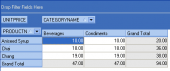
Data Analysis tool allows you to quickly analyze DB2 tables data that has been summarized into multidimensional views and hierarchies.
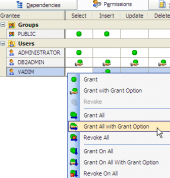
DB2 Maestro allows you to grant user/group in two manners: using the Object (to grant the permission on) Editor or within the User (grantor) Editor.
|
|












 Download
 Kaufen