







 Partners




PostgreSQL Maestro: Product Tour
Database Designer

|
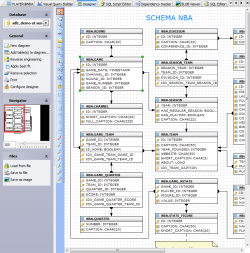
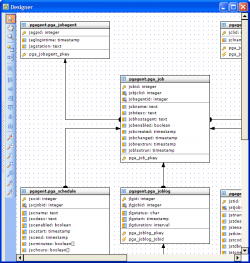
Database Designer allows you to create physical ER Diagram that represent objects in your PostgreSQL database. A diagram represents the tables of your database and the relationships between them. This tool is intended for reverse engineering and database modification in an easy and powerful way. You can add an existing table to the diagram using popup menu in the working area, or with the corresponding link on the Navigation bar. Tables also may be dragged on the diagram from Database Explorer and Object Manager. All the diagram objects are available for editing. Just double click the object (table or relationship) to view/edit its properties within the corresponding editor. |
|

|
Database Designer does support reverse engineering. All you need to get a complete diagram from an existing database is to click the corresponding link at the Navigation bar. All changes made at the diagram are stored between sessions while you also can save a diagram to a file and then load it from the file (useful when you want to have multiple diagrams for the same database). Easy and clear features allow you to adjust the scale of the diagram and the position of the visible part. Move, Hand, Zoom tools with a set of shortcuts and a toolset for aligning are also available. You can print the diagram of any size as well as save it as an image (Bitmap, GIF, and JPEG formats are supported). |
|
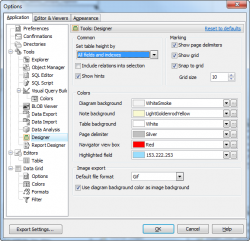
All the ER Diagram elements are customizable. You can specify default table height option to display or hide indexes, key fields, and so on. Show grid and Snap to grid options allow you to cover the diagram by points disposed on the same interval between and when you will move the table or another object, its upper left corner "snaps" to the nearest grid point. Interval between grid points can be customized as well. The Colors options are to attune the Designer appearance to your taste. |
|
| Back | Next |