Partners




 Download
 Buy
BuyData Wizard for MySQL online help
| Prev | Return to chapter overview | Next |
Preferences

Agent options
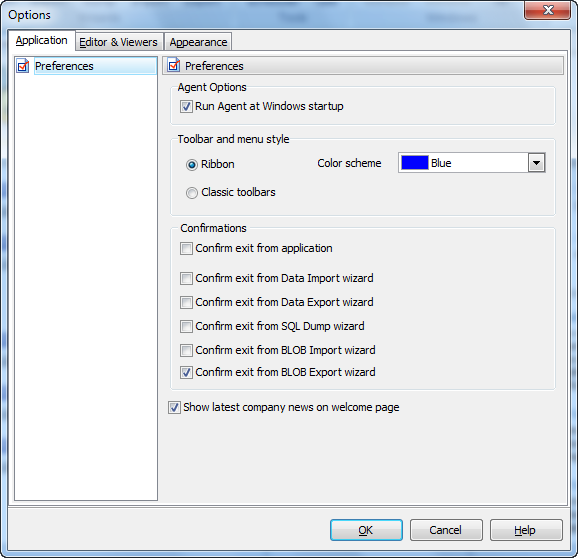
The option allows you to launch Data Wizard for MySQL Agent at each Windows startup for executing tasks configured in Task Scheduler, in background mode.
Tool bar and menu style
Data Wizard for MySQL allows you to select between Ribbon and Classic toolbars for your convenience. A possibility to select color scheme is implemented for Ribbon toolbar.
You can also cancel/allow the confirmation dialogs with the Confirmations options.
| Prev | Return to chapter overview | Next |