Partners



 Download
 Buy
BuyFirebird Data Wizard online Help
| Prev | Return to chapter overview | Next |
Using Firebird Data Wizard Agent

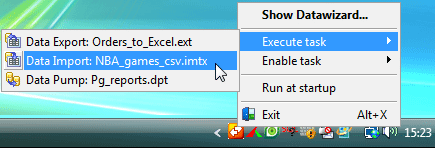
Firebird Data Wizard Agent allows you to execute application scheduled tasks in background mode. To execute such a task, the Agent application must be run, in other words, it is necessary to have a user to be logged on (system scheduled tasks do not have such a limitation). See Task Scheduler to learn more on Firebird Data Wizard tasks.
To enable the agent at each Windows startup, open Options > Preferences and check Run agent at startup.
| Prev | Return to chapter overview | Next |