


Choose your database:
AnySQL
MySQL
MS SQL Server
PostgreSQL
SQLite
Firebird
Oracle
SQL Anywhere
DB2
MaxDB

Subscribe to our news:
Partners
Testimonials
Ilakshi Rathod : "This tool is just wonderful. I have never seen any tool for DB2. This tool provides very good features which helps in ease us work as well as quick resolution of any errors.".
Jeff Rule: "I have to tell you I am really impressed. I have never had a software company turn around a bug fix like this so fast. I have been doing database work for over 20 years and that has never happened.".

More

Add your opinion

SQL Maestro Group / Products / DB2 / DB2 Maestro / Documentation

DB2 Maestro online Help

Prev Return to chapter overview Next

Adding new condition

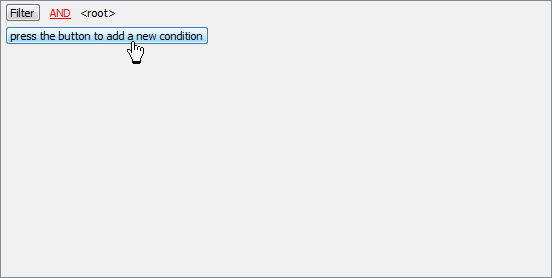
Suppose we need to select orders from the sample table Orders made between 01.01.94 and 12.29.03. These criteria are applied to the SaleDate column. Click the button to add new condition button. This will add a new condition to the criteria. Alternatively, you can use the Filter button and select the Add Condition option from the drop-down menu.


Prev Return to chapter overview Next