Subscribe to our news:

 Partners
Testimonials
Paolo Benjamin T. Briones: "I just downloaded the trial and its great! IMHO, its a lot better than the Enterprise Manager from SQL Server".
Jim Salmons: "That is excellent news! I will look forward to a future update with these features. It will be attention to such details that further distinguishes your excellent products from the competition.
As always, I appreciate your great products and your demonstrated customer service is equal to the high quality of your products".
More
Add your opinion
Customers
|
MS SQL Maestro online Help
BLOB Viewer
BLOB Viewer allows you to view the content of the BLOB fields in various representations.
See also: BLOB Editor
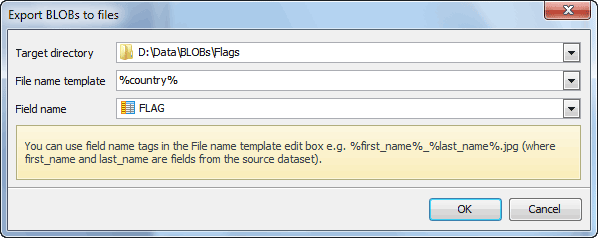
BLOB Viewer also allows you to save all BLOBs from a table or view to a given directory. Just click Save to files on the Navigation bar and fill all fields in the Export BLOBs window shown below. You can use table columns' names enclosed in % as a file name template.
|
Company news 
Jul 7, 2023
All software of our Microsoft SQL Server family come now with SQL Server 2022 compatibility.
Jun 29, 2017
New version features support for SQL Server 2017, support for row-level security policies, custom labels and colors for server nodes in Database Explorer, and some other useful things.
Jul 27, 2015
New version features support for Azure SQL Database and SQL Server 2016, updated data export/import tools, colored tabs, new encryption algorithms in data grids and some other useful things.
Feature of the day
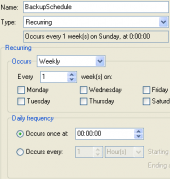
MS SQL Maestro: Use Schedules to implement a well-planned backup and restore strategy in order to protect your databases against data loss.
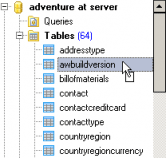
MS SQL Maestro allows you to make a copy of a database object by dragging it from one database to another.
|
|












 Download
 Buy
Buy