Partners



 Download
 Buy
BuyMaxDB Maestro online Help
| Prev | Return to chapter overview | Next |
Editing trigger properties

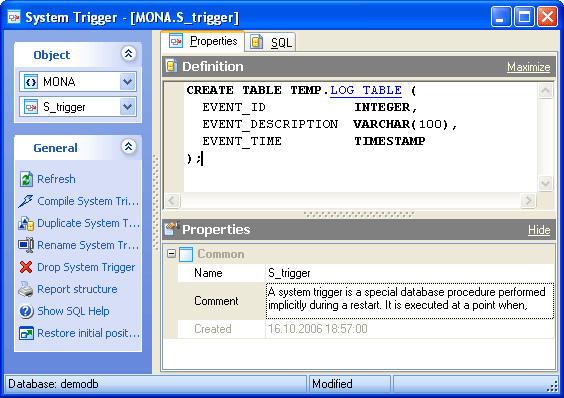
Trigger Editor provides you with an ability to edit trigger properties. For more information see below.
Name
Here you can view and change the trigger name.
Note: the name of the object must be unique among all the object names in its container. Moreover, all the objects that are source of data need unique names among themselves. You can use any identifier that is allowed by MaxDB server.
Comment
This field contains a comment to the trigger.
Create Date
Displays the date when the trigger was created.
To apply the changes, select the Apply Changes item in the Navigation bar or use Ctrl+F9 or Ctrl+F7 shortcut keys.
It is also possible to modify object properties without opening the object editor: use the Object Properties item of the popup menu of the selected object from the explorer tree.
| Prev | Return to chapter overview | Next |