Subscribe to our news:

 Partners
Testimonials
Dan Flazer: "Your new product and your assistance with us was excellent...will prove invaluable to the future of our company".
Paul Slicky: "I just want to say this has been the fastest, greatest, and most coopertive tool I have ever had. It turned out to be easy to use and very slick. Keep up the good work".
More
Add your opinion
Customers
|
MaxDB Maestro online Help
System Requirements
Client environment
| • | Windows NT4/2000/XP/Vista/Windows 7/Windows 8; |
| • | 256 MB RAM (512 MB recommended); |
| • | 15 MB of free hard disk space; |
| • | SVGA-compatible video adapter. |
Server environment
|
Company news 
Sep 1, 2014
A new data reporting tool, lots of new features in SQL editors and viewers, nullable column checker, updated Data Import and SQL Dump tools, data export to JSON, and many other useful things.
Feb 26, 2010
New version features completely redesigned Data Import and Data Export wizards, subqueries and/or UNIONs in Visual Query Builder and a lot of other interface improvements.
Jul 9, 2008
Master-detail data views, lookup editors, large fonts support and more. Now with French localization.
Feature of the day
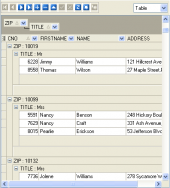
You can group your data in the grid by any table column in MaxDB Maestro.
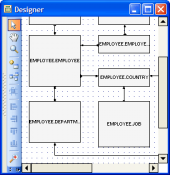
You can create ER Diagrams to represent objects in your MaxDB databases in a couple clicks with Database Designer.
|
|











 Download
 Buy
Buy