





AnySQL Maestro online help
| Return to chapter overview | Next |
Welcome to AnySQL Maestro!

AnySQL Maestro is the premier Windows GUI admin tool for database management, control and development. It allows you to make all the database operations easy and fast. Using AnySQL Maestro you can create, edit, copy, and drop all the database objects that are available via ODBC driver or OLE DB provider, build queries visually, execute queries and SQL scripts, view and edit data including BLOBs, represent data as diagrams, export and import data to/from most popular file formats, and use a lot of other tools designed for the easiest and most efficient work with database server.
Basic AnySQL Maestro features
Easy database management
AnySQL Maestro allows you to operate with databases on your database server on basis of database profile conception. Database profiles give you the opportunity to connect to databases in one touch and work with the selected databases only. See the Database Management for details.
Powerful database object management
AnySQL Maestro provides you with an ability to manage database objects (tables, views) in various ways. For example, you can perform operations with a group of objects as well as with a single object in Object Manager, sort, group and filter the database objects within Object Browser, copy an object from one database to another by a drag-and-drop operation inside the explorer tree, use Windows clipboard to copy a set of objects and so on. For details turn to the Database Object Management section.
Working with tables and table subobjects
AnySQL Maestro wizards and editors allow you to create, edit and drop tables as well as their fields, indexes, and foreign keys in a couple of simple operations. See the Tables section to learn more.
Building and executing queries
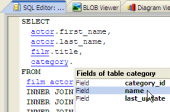
AnySQL Maestro provides two powerful tools which allow you either to edit query text directly with syntax highlighting and code completion or to build a query diagram visually selecting tables and fields, setting links between tables and so on. You can find the detailed description in the Queries section.
Support of the latest database features
AnySQL Maestro works fine with any version of any database engine which is accessible via ODBC driver or OLE DB provider.
Powerful data management tools
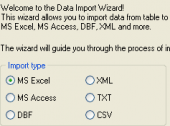
With AnySQL Maestro you can view and edit table data (including BLOB fields), export and import data to/from MS Excel, MS Access, DBF, XML, TXT, CSV and other formats, get SQL data dump and more. See the Data Management to learn the details.
Wide choice of additional tools
AnySQL Maestro provides you with a number of tools for working with database metadata and SQL scripts, including code folding. There are such tools are at your disposal as BLOB Viewer, Diagram Viewer, Data Analysis and Database Designer, SQL Generator, and more. To learn more, see the Database Tools section.
Full customization according to your preferences and needs
In AnySQL Maestro you can customize the behavior of all its tools, select a user interface scheme and set a lot of other preferences. All the options and their meanings are listed within the Options dialog description.
| Return to chapter overview | Next |