Partners




 Download
 Buy
BuySQL Maestro for MySQL online help
| Prev | Return to chapter overview | Next |
Process Browser

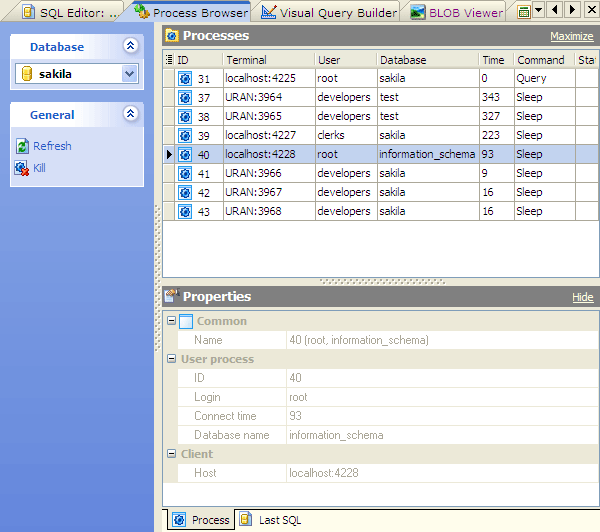
Process Browser is very useful tool for DBAs who want to monitor the users' activity (in fact, there are potentially thousands of sessions in a database at any one time). You can view details for each session (such as login, connect time, database name, client host, last SQL statement executed and more) as well as group and filter processes by client host, connected user, database, client application, etc.
To access the Process Browser window, select the corresponding item from the Tools menu.
You can also observe the current process list at the Explorer tree.
| Prev | Return to chapter overview | Next |