Wählen Sie Ihren SQL-Server:
Neuheiten abonnieren

 Partners
Testimonials
Jacob Lyohne, Director of Development: "Regarding implementation, it is pretty self-explanatory and the SQLite Maestro manual is helpful for review and reference. We also found the on-line documentation useful and the software support staff readily available to answer our questions. Reports are very easy and quick to run and can be broken down into any number of statistical combinations".
Johnattan Badden, Manager: "The software is easy to work with and most importantly, report management is extremely easy, even for a novice like me! I am able to create and edit my databases with a few clicks and easily maintain them afterwards. I highly recommend SQLite Maestro to educational institutions: it's easy and flexible, it is exactly what can be good for using in schools and colleges".
More
Add your opinion
Customers
|
SQLite Maestro online Help
VACUUM
sql-statement ::=
|
VACUUM [index-or-table-name]
|
The VACUUM command is a SQLite extension modeled after a similar command found in PostgreSQL. If VACUUM is invoked with the name of a table or index then it is suppose to clean up the named table or index. In version 1.0 of SQLite, the VACUUM command would invoke gdbm_reorganize() to clean up the backend database file. Beginning with version 2.0 of SQLite, GDBM is no longer used for the database backend and VACUUM has become a no-op.
|
Company news 
May 5, 2021
New version introduces new database encryption algorithms, support for generated columns, support for renaming and dropping columns using ALTER TABLE statement, and some other enhancements.
Nov 14, 2016
New version introduces support for FTS5 extension and expression-based indexes, new encryption algorithms in data grids, updated data export and data import tools, and some other useful things.
Jan 12, 2015
New version comes with support of user authentication and management, read-only database connections, colored tabs, and some other new features.
Feature of the day
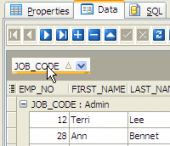
Sie konnen Ihre Daten im Grid von einer beliebigen Tabellenspalte in SQLite Maestro gruppieren.
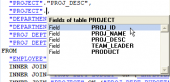
SQLite Maestro ermöglicht den SQL Skript Text durch entsprechende Editoren durchzusehen und bearbeiten. Syntax-Hervorhebung und Code-Komplettierung sind für Ihre Bequemheit auch dabei.
|
|











 Download
 Kaufen