Partners




 Download
 Buy
BuyPostgreSQL Maestro online Help
| Prev | Return to chapter overview | Next |
Data Analysis

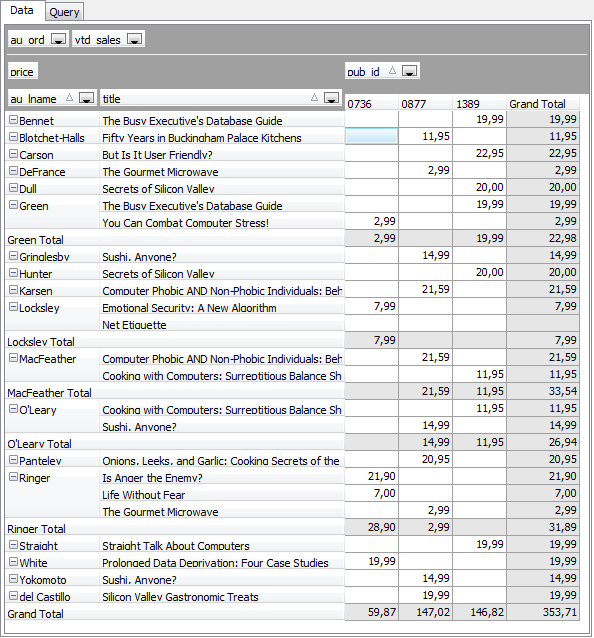
Data Analysis is a tool to define a multidimensional model with analytic calculations to analyze information also called OLAP cube. Such cubes could effectively be re-oriented. So the tool allows you to view data in various ways, such as displaying all the cities down the page and all the products across a page and then immediately view it in another way. Because this re-orientation involves re-summarizing very large amounts of data, this new view of the data has to be generated efficiently to avoid wasting the analyst's time, i.e. within seconds, rather than the hours a relational database and conventional report-writer might have taken. It allows you to focus on business rules rather than creating dozens and dozens of reports. To run Data Analysis, choose Tools | Data Analysis main menu item.
To get an OLAP cube:
| • | Input SELECT query in the Query window or load it from the .cub file. |
| • | Manage report data in the Data window. |
The Data Analysis tool allows you to save the created OLAP cube to .cub file, print it, or export it to Excel, HTML, XML, and text file.
| Prev | Return to chapter overview | Next |